
TL;DR
Hiring workflow setup is standing up one loop—role, branded form, screening, shortlist, email—before volume hits. If the brief is ready, a lean team can do it in one sitting. Hiring Forms is the toolkit: listing, customizable application, CRM, AI score, and templates. You still decide who to interview.
Definition
Hiring workflow setup is wiring one role from open to first reply: brief, branded listing, structured application, stages, a first-pass screen, a shortlist rule, and a next-step or no—so how to start hiring is a loop you can run twice a week, not an inbox pile.
Most teams stall on plumbing, not talent. The JD lives in a doc, apply looks like a survey, CVs sit in Drive, and “we’ll loop Friday” becomes silence. A fast hiring process is a complete loop you stand up while the brief is still warm—not a shorter interview.
Evidence
LinkedIn Talent Solutions reports that in 2021 it took an average of 41 days from search to accepted offer, and 62% of TA and HR leaders named time-to-hire their most important success metric—historical, not a 2026 clock, and still why setup delay is expensive.
Source: LinkedIn Talent Solutions — How to reduce your time-to-hire
How Do I Set Up a Hiring Process Quickly?
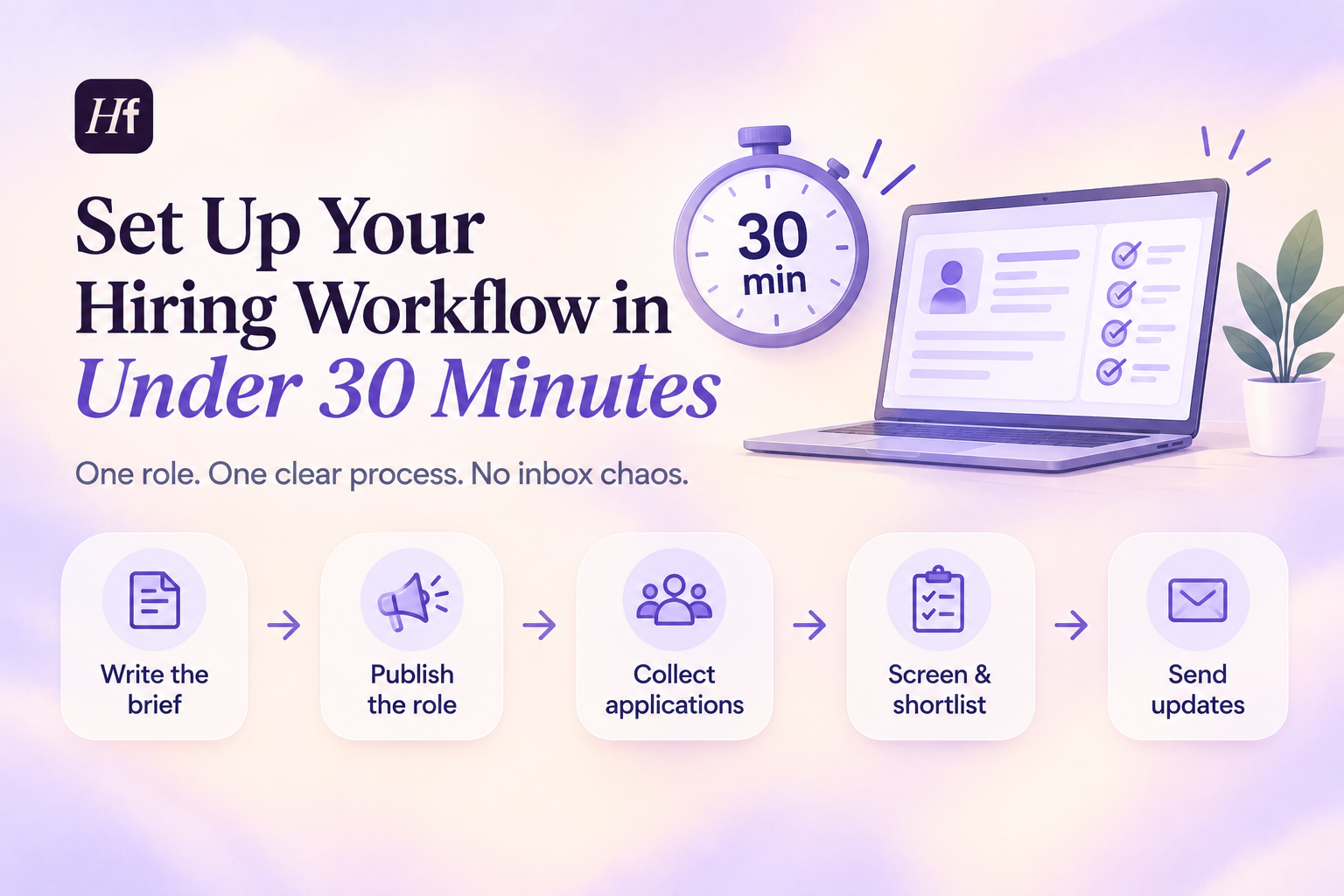
How do I set up a hiring process quickly?
Write the role first: 90-day outcomes, three must-haves, true knockouts, location or remote rules, and a pay band if you have one. Then publish a branded listing with a structured hiring form, score every applicant the same way, and send a next step or a no. Speed comes from finishing the loop, not from skipping the brief.
“Under 30 minutes” is a sitting, not a lab result. You cannot invent a fair screen in five minutes if nobody agrees what the job is. You can stop treating hiring workflow setup as a two-week IT project.
- Write an 8-line brief (mission of the seat, 90-day outcomes, knockouts).
- Create the role in Hiring Forms from scratch, a template, a Google Form import, or the AI assistant.
- Publish a branded listing—not a survey URL.
- Build the application form: resume, must-have questions, knockouts only.
- Apply company branding (logo, colours, careers page look) so apply feels like your company.
- Set CRM stages and a first-pass rule (score out of 100 plus knockouts).
- Load two template emails: advance, and a respectful no.
- Share the listing. Review the first files against the same card.
Why hiring takes so long after you post is usually wait states, not sourcing. For that diagnosis, read Hiring Forms’ Why Most Startups Take Too Long to Hire (And How to Fix It).
What’s the Fastest Way to Start Hiring?
What’s the fastest way to start hiring?
The fastest way to start hiring is one public listing plus one form that collects comparable answers—then a CRM so status is not a spreadsheet column. Skip a 40-field survey. Put brand on the apply page. Screen against the brief. Interview people who cleared a written bar.
The form is what candidates actually touch. LinkedIn’s guidance is blunt: 75% of job seekers consider an employer’s brand before they apply (LinkedIn Talent Solutions). A generic survey fights that before you have read a CV.
Hiring Forms is built for hiring, not surveys. You can customize the form to your company branding—logo, colours, and a careers listing that matches your site. Starter and above can brand the thank-you page. Pro can use a custom careers domain. Apply should feel like your company.
What belongs on that form:
- Contact and work-authorisation basics
- Resume / CV upload (do not make them retype the PDF)
- Two or three must-have questions tied to the 90-day work
- True knockouts (licence, location, shift) as pass/fail
- Optional: a short “why this seat” box
What does not belong:
- Twenty culture questions you will not score
- Duplicate fields already on the resume
- A survey URL that looks like homework
| Intake choice | What the candidate sees | What you get | When it breaks |
|---|---|---|---|
| Google Form + Sheet | A survey link | Rows | Status, branding, follow-up |
| Email + Drive folder | An inbox | Attachments | Comparison and ownership |
| Branded Hiring Forms listing | Your company, your colours | Structured apps in a CRM | Only if the brief is vague |
Google Forms still works at tiny volume. When you need a listing that looks like you plus stages, read Hiring Forms’ Google Forms vs. Hiring Forms: Why Spreadsheets Break Down When You’re Hiring. You can import an existing Google Form instead of rebuilding every field.
Myth
“A professional hiring process requires an enterprise ATS and a month of implementation.”
Reality
Lean teams need a branded form, stages, a score, and emails. That is hiring workflow setup. Complexity is optional. Ghosting is not.
What Recruiting Workflow Steps Should I Follow After the Form?
What recruiting workflow steps should I follow after the form?
After apply, run the same recruiting workflow steps every time: knockout check, AI or human first-pass against your categories, shortlist by a threshold, interview with the same questions, then a template update. Do not invent a new process per candidate. Do not leave people on “new” for two weeks.
Hiring Forms holds that loop in one place.
| Step | Owner | Tooling in Hiring Forms | Done when |
|---|---|---|---|
| Role + listing | Hiring owner | AI assistant or template; branded careers page | Live URL |
| Application | Candidate | Branded hiring form + thank-you page | Complete record |
| First pass | Owner / AI as support | Score out of 100, summary, knockout rules | Ranked pile |
| Shortlist | Owner | CRM stages | Named interview list |
| Update | Owner | Template emails | Advance or no sent |
AI screening on Hiring Forms scores applicants against your categories and flags knockouts before a human reads the pile. Decision-support only. Signup includes 25 free AI screening credits. You still choose who to meet.
For the first-pass card, read Hiring Forms’ How to Screen Resumes Faster Without Losing Quality.
Evidence
Survale’s 2025 Candidate Experience (CandE) Benchmark found 60% of the top 10 North American CandE Award winners dispositioned candidates within 3–5 days of application—16% more often than all participating employers. Winners also kept 61% fewer candidates waiting on next steps two or more months after applying.
Source: Survale — 2025 Candidate Experience (CandE) Benchmark Research
Expert Insight
“75% of job seekers consider an employer’s brand before even applying for a job.” Keep the site, Career Page, and apply materials informative and current. — LinkedIn Talent Solutions
Branding the hiring form is the first proof you are a real employer. The emails prove you will not disappear.
Did You Know?
In Survale’s 2025 CandE research, 62% of candidates said the job application took 15 minutes or less to complete—up from less than 40% in 2020. Short, branded forms are now the expectation, not a nice-to-have.
Lean-Team Hiring in India: Same Workflow, Local Constraints
Indian startup hiring still uses WhatsApp for intros and PDFs for CVs. Notice periods of 30–90 days mean a slow screen burns people who already have another offer. CTC belongs on the listing when you have it—hiding pay until week three is not a fast hiring process.
Put those constraints into hiring workflow setup:
- Knockouts for work authorisation, location, and notice if the seat cannot wait
- CTC questions only if you will use the answers
- CRM notes for “serving notice” vs “immediate”
- Emails that name the next date; WhatsApp for scheduling after they are in the CRM
First-Hand Experience
The teams that look slow usually have a live JD and no form—or a form that looks like homework. Pattern we see: draft or import the role in Hiring Forms, brand the listing, keep the form to must-haves, turn on knockouts plus a score out of 100, load two emails. The sitting is short. Status has a home.
Start with one role at Hiring Forms—no credit card for those 25 screening credits. Customize the form so candidates see you. Then run the loop twice a week until the seat is filled.
Can you finish hiring workflow setup in under 30 minutes?
Yes—if the role brief is ready, and you wire listing → branded form → screen → shortlist → email in one system.
A usable setup can:
- ✓ Publish a branded Hiring Forms listing and customizable application
- ✓ Score applicants with knockouts and a score out of 100
- ✓ Keep stages in a CRM and send template updates
- ✓ Look like your company, not a survey
It cannot replace:
- ✗ A written brief and human judgement
- ✗ Interviews and an offer you will stand behind
- ✗ Pay, notice, and location honesty on the listing