
TL;DR
Google Forms is fine for collecting answers — until you need stages, ownership, screening, and candidate updates. Hiring with spreadsheets breaks down once volume rises, because rows are not a pipeline. A purpose-built job listing plus candidate CRM replaces the Forms + Sheets duct tape without forcing an enterprise ATS on a lean team.
Definition
Google Forms for hiring is the practice of using a general survey form, usually synced to Google Sheets, as the application intake for a role. It captures responses efficiently but isn’t an applicant tracking system, so status, collaboration, scoring, and follow-up end up living in manual columns, Slack threads, and inboxes instead.
Most lean teams start hiring the same way: post a role, drop a Google Form link, and watch responses roll into a spreadsheet. It’s free, it’s fast, and for the first few applicants it feels like more than enough.
Then a second role opens. A hiring manager comments on the wrong tab. Someone asks “did we already reject this person?” and nobody actually knows. That’s the moment Google Forms for hiring stops being a workflow and becomes a cleanup job. The comparison isn’t “surveys bad” — it’s collection versus management: forms collect, hiring systems run the pipeline.
Evidence
SHRM’s 2026 recruiting benchmarking puts median time-to-fill at 39 calendar days for nonexecutive roles and 45 days for executive roles — long enough that manual spreadsheet tracking routinely loses people mid-funnel.
Can I Use Google Forms for Hiring?
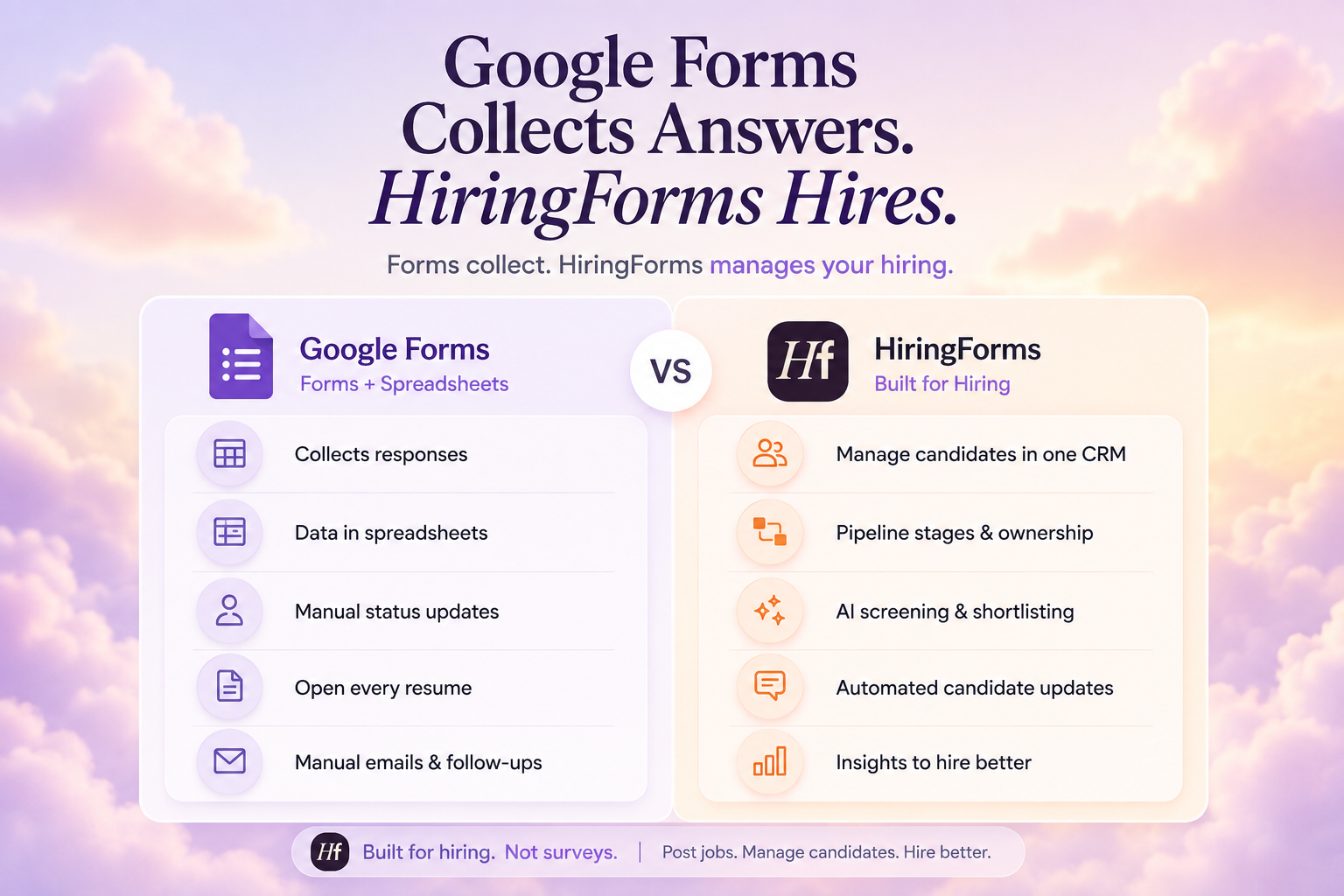
Can I use Google Forms for hiring?
Quick Answer
Yes — for low-volume intake. Google Forms can collect applications quickly when you’re hiring rarely and one person owns the sheet. It becomes a poor fit once you need pipeline stages, shared notes, consistent screening, branded job listings, or automated updates. At that point you need a real system of record, not more spreadsheet discipline.
When Forms + Sheets still work:
- One role at a time
- Under a few dozen applicants
- A single owner who updates status daily
- No complex interview loop or multi-reviewer feedback
When hiring with spreadsheets starts to fail:
- Multiple open roles with overlapping candidates
- Hiring managers need a shared view, not a tab dump
- You can’t answer “who’s waiting on us?” in ten seconds
- Follow-ups depend on someone remembering to send an email
- Screening is “open every résumé” with no shared rubric
Forms are data collection tools, not relationship or pipeline systems — the usual breakage points are a missing central candidate view, weak collaboration between reviewers, and manual follow-ups, not recruiters being careless.
Myth
“If we add enough Sheet columns — Status, Stage, Notes, Score — we basically have an ATS.”
Reality
Columns simulate a pipeline right up until two people edit the sheet at once, a filter hides a row, or a candidate applies twice. Spreadsheets store values — they don’t enforce hiring workflow, stage ownership, or consistent candidate communication.
What’s Better Than Spreadsheets for Tracking Candidates?
What’s better than spreadsheets for tracking candidates?
Quick Answer
A candidate CRM tied to real job listings: every applicant lands in one place with stages, notes, and collaboration, plus structured applications you can actually compare. Add AI screening and template status emails once volume rises. That’s applicant tracking without spreadsheets — not another color-coded tab.
- Publish a branded job listing, not a naked survey URL.
- Capture structured applications against that specific role.
- Land every applicant in one Candidate CRM with stages.
- Score and shortlist with a shared rubric — AI Screening once volume spikes.
- Update candidates with templates so silence doesn’t look like rejection.
- Keep referrals and re-applicants attached to profiles, not lost in old rows.
| Capability | Google Forms + Sheets | Hiring Forms |
|---|---|---|
| Application intake | Strong survey fields | Strong, hiring-structured forms |
| Branded job listings / careers page | Weak / DIY | Built for roles and listings |
| Pipeline stages | Manual columns | Candidate CRM stages |
| Team notes / collaboration | Comments / Slack side-channels | Notes on the candidate record |
| Screening at volume | Manual résumé reading | AI score, summary, knockout rules |
| Candidate status emails | Manual, sent by hand | Template-based updates |
| Referrals | Ad-hoc forwards | LinkedIn-verified referrals |
| Multi-role tracking | Multiple sheets / tabs | One CRM across every role |
Sheets were never designed as recruiting systems: they lack native pipeline tooling, make multi-vacancy tracking slower, and raise the risk of losing applicants across tabs and inboxes. That’s the core distinction between a form and a hiring system — collection versus operating system.
Did You Know?
LinkedIn Talent Solutions’ guidance on reducing time to hire cites survey data showing average time-to-hire around 41 days, and notes that 62% of TA and HR leaders treat time-to-hire as their most important success metric — so tools that add wait states, like manual sorting or forgotten follow-ups, directly hit the KPI teams already care about.
Source: LinkedIn — Reducing Time To Hire
Where Google Forms Fits — and Where Hiring Forms Takes Over
A fair comparison keeps Forms in the toolkit for what it’s good at, then draws a hard line at pipeline work.
| Situation | Prefer Google Forms | Prefer Hiring Forms |
|---|---|---|
| Internal RSVP / simple poll | Yes | Overkill |
| First-ever hire, tiny volume | Often fine | Optional upgrade |
| Ongoing hiring, multiple roles | Breaks down | Better fit |
| Need branded careers listings | DIY / site builders | Native job listings |
| Need scored shortlists | Manual | AI Screening |
| Need candidate updates at scale | Manual | Automated templates |
Hiring Forms is built for hiring, not surveys: create a role from scratch, import, or template; publish a branded listing; capture structured applications; manage everyone in a Candidate CRM; screen with AI scores out of 100 against custom categories and knockout rules; and send template status emails as people move stages. Referrals can include LinkedIn verification, so intros stay credible and traceable.
Expert Insight
“The biggest upgrade wasn’t the form — it was the follow-through. Candidates stayed in the loop, and our process looked more professional.” — Sarah Chen, Head of Talent
Evidence
Candidate-experience benchmark coverage around CandE 2025 highlights that top employers consistently make post-interview go/no-go decisions within roughly three to five days — a cadence spreadsheet teams rarely hit when status and ownership live in informal chat.
Source: Candidate Experience Institute — CandE 2025 benchmark
Startup and Lean-Team Context: The Forms Trap
Lean teams adopt Google Forms because it removes friction on day one. The trap is staying there after the workflow has outgrown it. Founders become part-time spreadsheet administrators. Hiring managers ask for “the latest sheet” and get three different versions. Candidates experience silence while the team debates filters.
First-Hand Experience
In conversations with teams still running Forms + Sheets, the breaking point is predictable: not the hundredth applicant, but the first week they can’t answer who is waiting on a decision. Hiring Forms is built for that jump — job listings, structured applications, CRM stages, AI screening when you’re ready, and updates that keep follow-through visible — without pretending every small team needs a heavyweight enterprise ATS.
If you’re ready to stop managing hiring inside survey rows, start with one role on Hiring Forms — free signup includes AI screening credits to test the workflow.
Quick Summary
Should teams replace Google Forms and spreadsheets for hiring?
Yes — once you’re managing a pipeline, not just collecting responses.
A hiring-native system can:
- ✓ Publish branded job listings instead of survey links
- ✓ Track candidates in a CRM with stages and notes
- ✓ Shortlist with AI screening when volume rises
- ✓ Send template updates so candidates aren’t ghosted
It cannot replace:
- ✗ Clear role requirements and knockout criteria
- ✗ Hiring-manager decision speed
- ✗ Human judgment in interviews and offers